Set up the match
Choose a map and set options such as weather, fog of war, and unit shipments in the lobby.
 Drums of Empire
Raise a town. Rally an army.
A historical real-time strategy game designed for touch, with online multiplayer and local skirmishes on desktop, phones, and tablets.
Windows · macOS · Linux · iOS and iPadOS · Android
The game
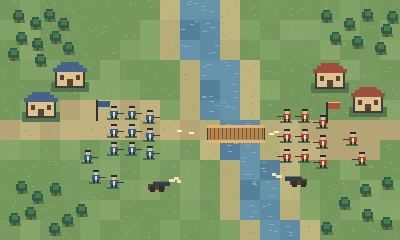
The match keeps moving while you build, recruit, and give orders. You decide what your workers gather, which troops to train, and when to leave the safety of your town.
01 / Economy
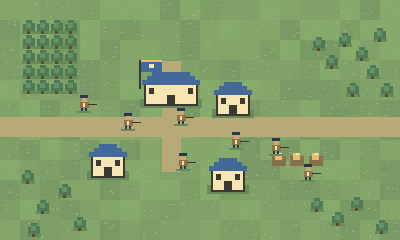
Start from your Town Hall and put workers to work gathering supplies, lumber, and gold. Decide how many workers you can spare for construction while keeping resources coming in.
Put up the buildings that support your plan. An extra production building helps you raise troops, while walls and defensive positions can buy your economy time.
02 / Battle deck
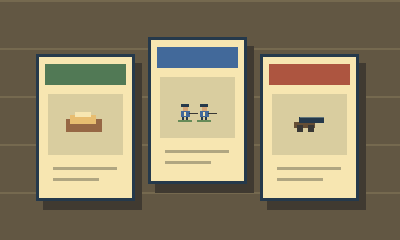
Pick your nation and assemble a deck before the match. Use cards to support the way you want to play, whether that means shoring up your economy or calling for reinforcements.
Send cards during the battle. Deliveries run one at a time, so choosing what to send and when is part of the strategy.
03 / Recruitment
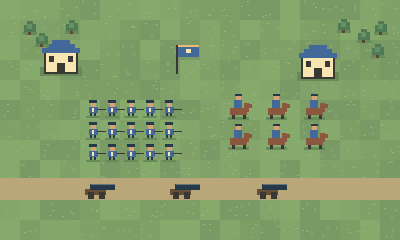
Train infantry, cavalry, and artillery. Nations have their own units, landmarks, and rules, so your choice shapes the force you can put on the field.
Build around a job for each squad. Infantry can hold a crossing, cavalry can threaten a flank, and artillery can put pressure on a defended position.
04 / The battlefield grid
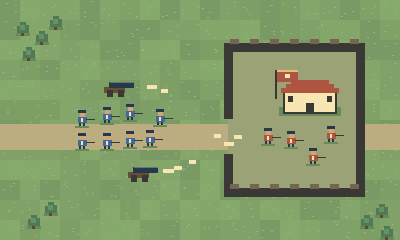
The battlefield is divided into tiles. Select a squad, then tap a destination tile to issue a move order. The grid also helps you see where a building can go and read the ground around a crossing or chokepoint.
Every tile matters. Choose where to meet the enemy and watch for terrain or weather that changes your plan. While your squad moves, you can keep building and giving orders elsewhere.
05 / Victory
Win by destroying the opposing side’s last completed Town Hall. Fight your way through its defenders while keeping your own Town Halls standing.
Pressure an exposed approach, bring artillery up behind your troops, or cut across the map while your opponent is busy defending another front.
06 / Online multiplayer
Host a lobby or join one. Play a head-to-head duel or set up a team battle with up to four seats on each side.
Fill seats with people and computer players in the same match. Bring a friend and take on computer opponents, or add computer players to fill out both teams.

Choose a map and set options such as weather, fog of war, and unit shipments in the lobby.
Play against the computer to learn a nation, try a new deck, or practice your opening before taking it online.
07 / Controls
Drums of Empire is built around touch. Tap to select, tap again to give an order, drag to pan, and pinch to zoom. Contextual controls keep the battlefield in view while you play.
Select a unit or building in the world and use the actions that appear for it.
Drag to look around and pinch to move from the wider map to the fight.
Use mouse and keyboard controls on Windows, macOS, or Linux.
08 / Free beta
Use the launcher on Windows, macOS, or Linux. Mac players can also join through TestFlight. On phones and tablets, join through TestFlight or the Google Play beta.